
Synthetix Cloud v5.0.0

Widget Management
You can now manage your SynthetixJS web widgets from a dedicated Admin section.
This means you can:
- Change what appears on the home screen
- Control how Chat and the Bot are presented
- Adjust branding, colours and wording
- Update pre chat surveys that are shown to customers
All changes are shown instantly in a live preview before you save them.
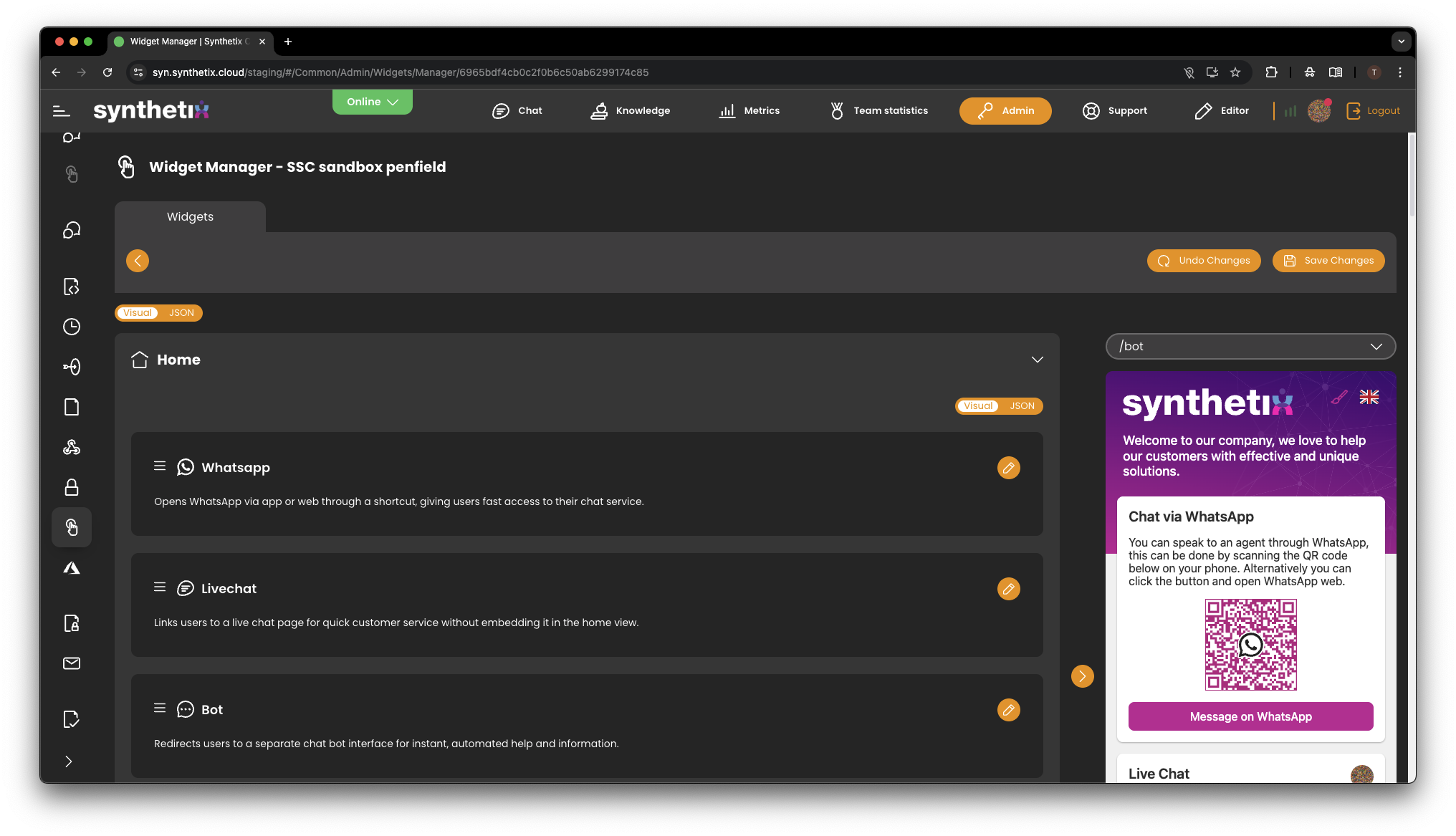
Home Screen Management
You can now control the cards shown on your widget’s home screen.
This allows you to:
- Re-order options such as Live Chat, WhatsApp and Bot
- Change their titles and descriptions
- Decide which services are visible to customers
- Direct customers to the right channel faster
This helps reduce confusion and guides customers to the best support option.
Theme & Branding
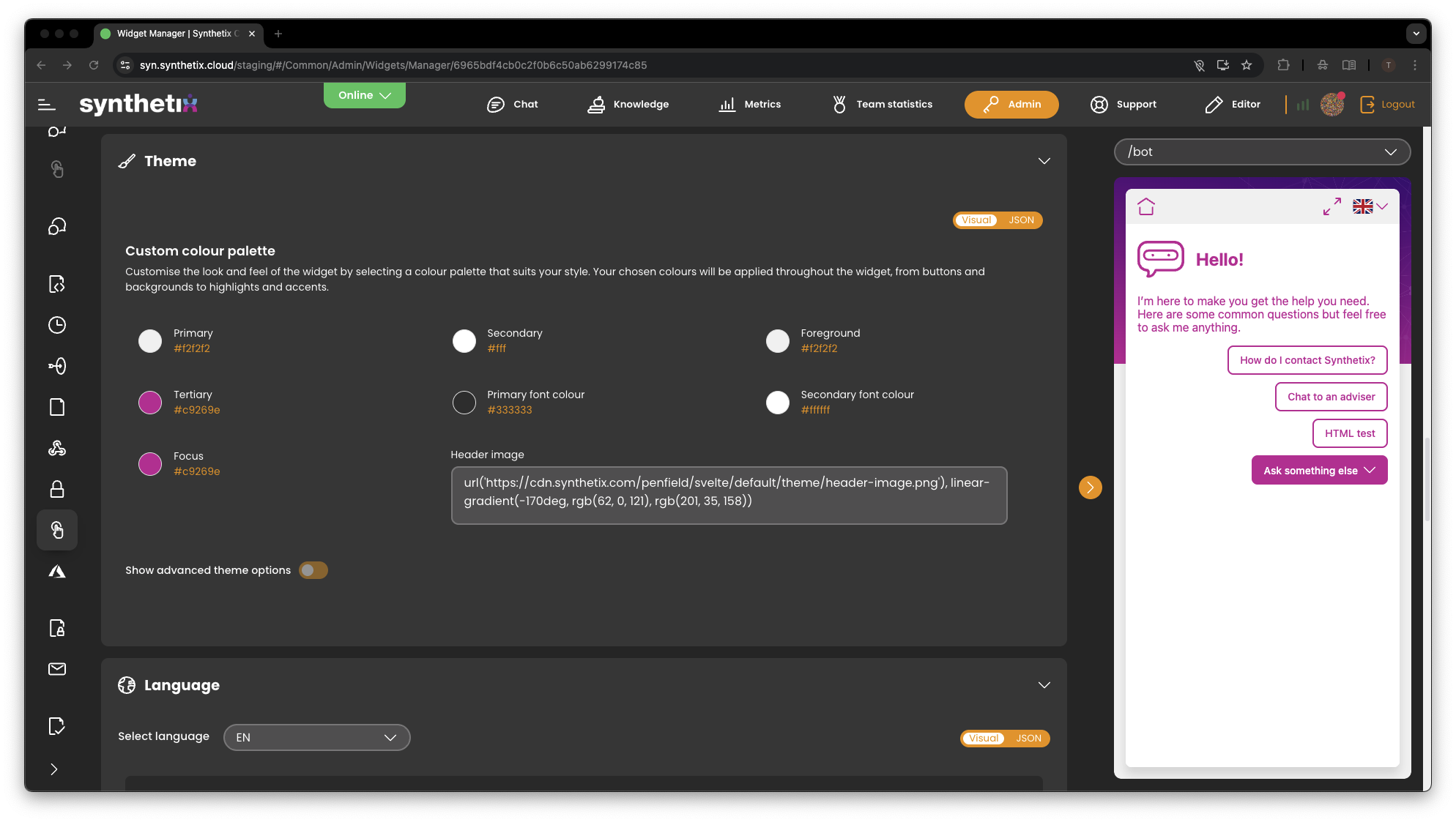
You now have full control over the look and feel of your widget.
From the Theme section you can:
- Set your primary and secondary colours
- Choose font colours
- Adjust button and highlight colours
- Apply a custom header background
- See all changes instantly in the preview
This allows the chat widget to match your company branding without design work.
Language & Text Control
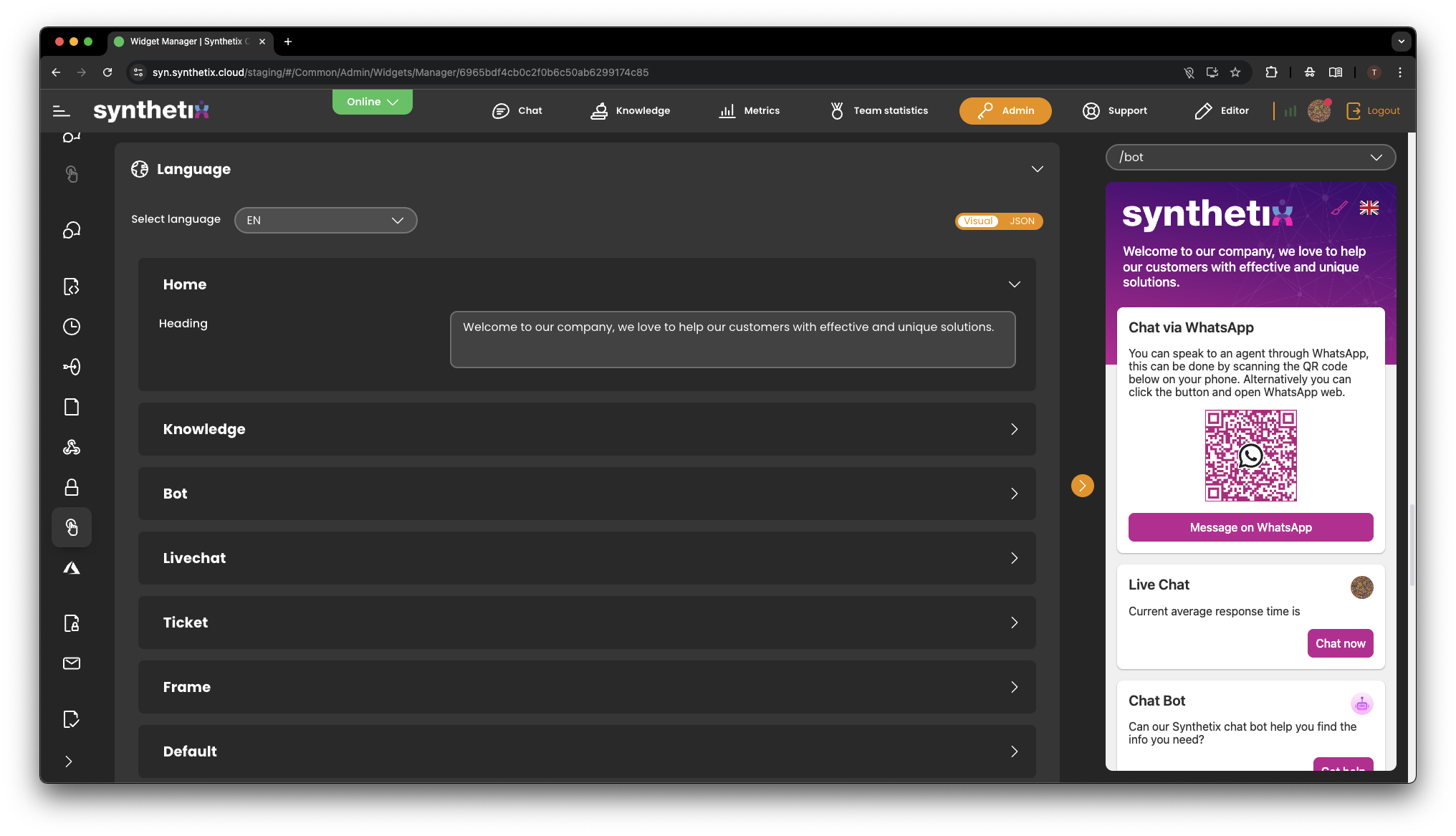
You can now update the wording used throughout the widget.
This includes:
- Welcome messages
- Headings and labels
- Help text and instructions
You can create a more natural, on-brand experience using plain English that suits your customers.
Chat Surveys & Forms
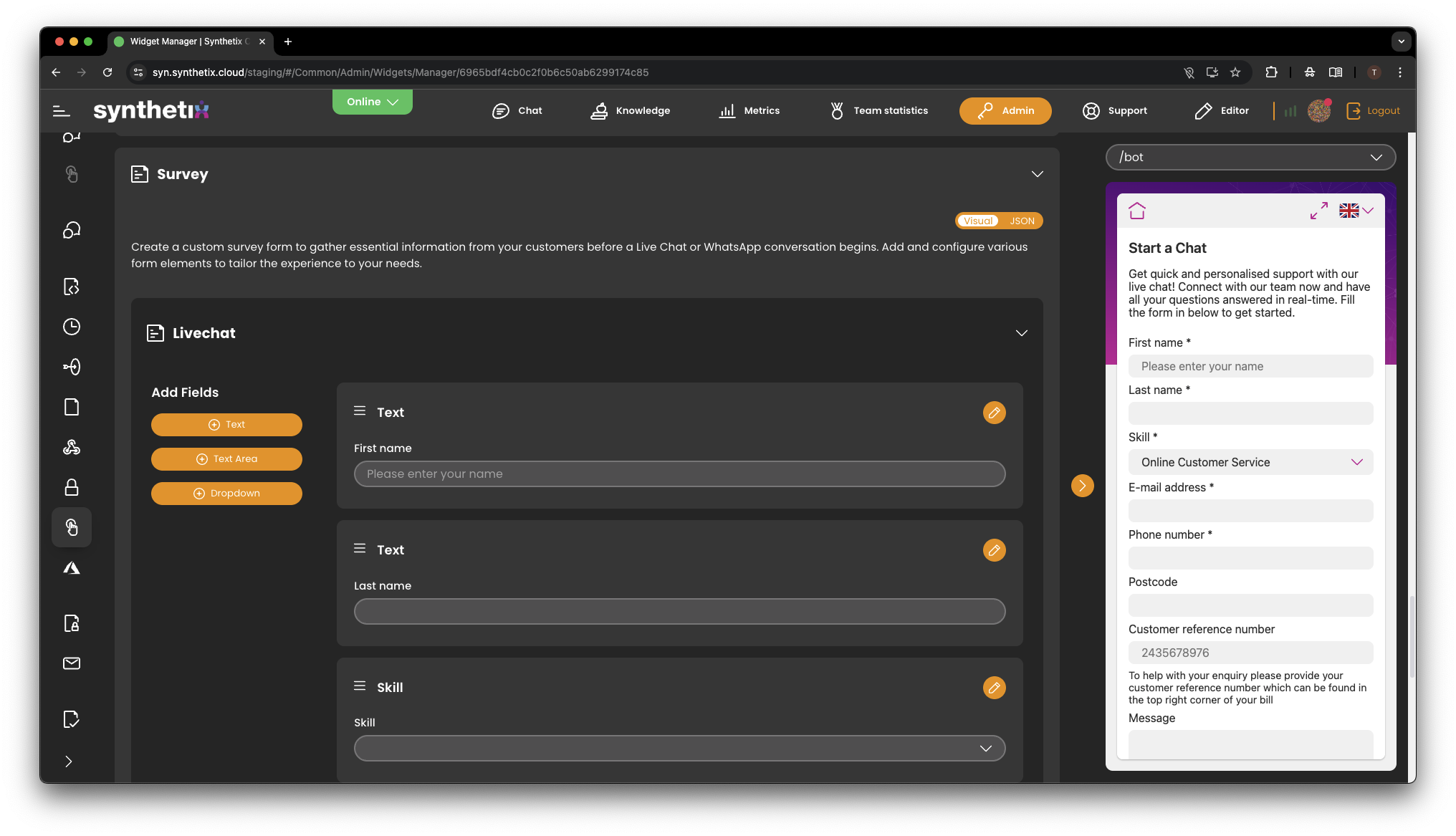
Before a chat starts, you can now control what information is collected.
You can:
- Add or remove fields such as name, email, phone number or postcode
- Use drop-down lists (for example, to choose a product or service)
- Mark fields as required
- Change the wording of each field
This ensures agents receive the right information before a conversation begins.
Bot Experience Controls
The new Admin section also gives you control over how the chatbot behaves.
You can:
- Show or hide the Home button
- Enable or disable navigation
- Control how many quick links are shown
- Decide whether users can type free-text messages
- Choose what happens when feedback is given
This makes it easier to tailor the bot to your customer journey.
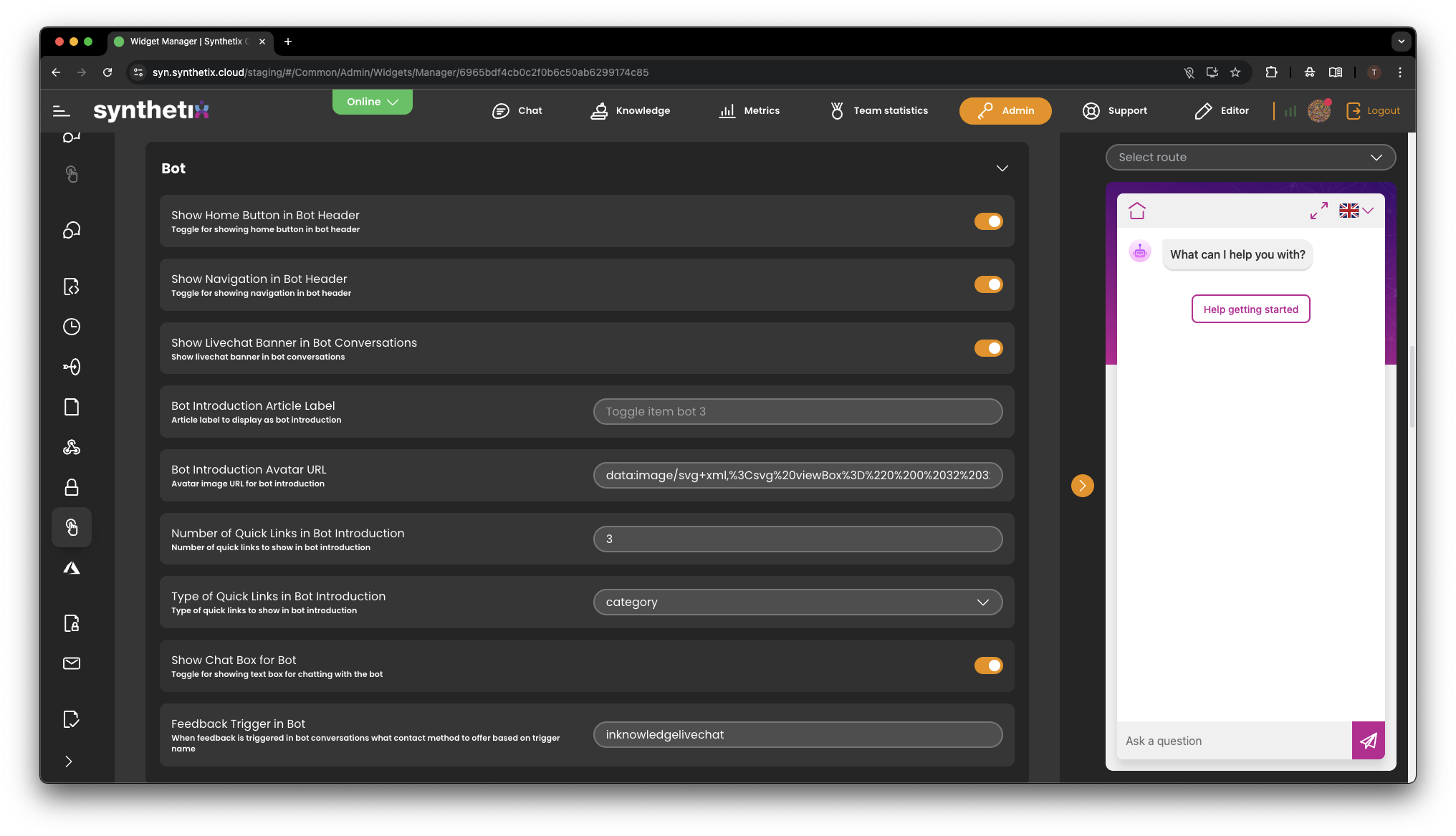
Live Preview
Every change you make is displayed in a real-time preview of the widget.
You can:
- See exactly how it will look to customers
- Test different colours, layouts and wording
- Only publish changes when you are happy
No guessing, no surprises.
What this means for you
- More control
- Faster changes
- Better branding
- A clearer customer experience
All without needing developers or support tickets.